Activity Log
Review what happened in pfSense Actions, from API requests to sign-ins and settings changes, with sensitive details left out.
Why Use the Activity Log?
- Shows which token ran which action, and whether it worked.
- Records failed sign-ins along with successful ones.
- Leaves out IP addresses, MAC addresses, request bodies, and credentials, so reviewing it doesn't expose them.
Read an Event
The Activity page lists events with the newest first, and Overview shows the newest 8 under Recent activity. Each event shows:
- Status — A green dot for
succeededor a red dot forfailed. - Summary — What happened, such as
Completed Wake-on-LAN request. - Details — The event name, the actor, and the category.
- Time — How long ago it happened, with the full date for older events.
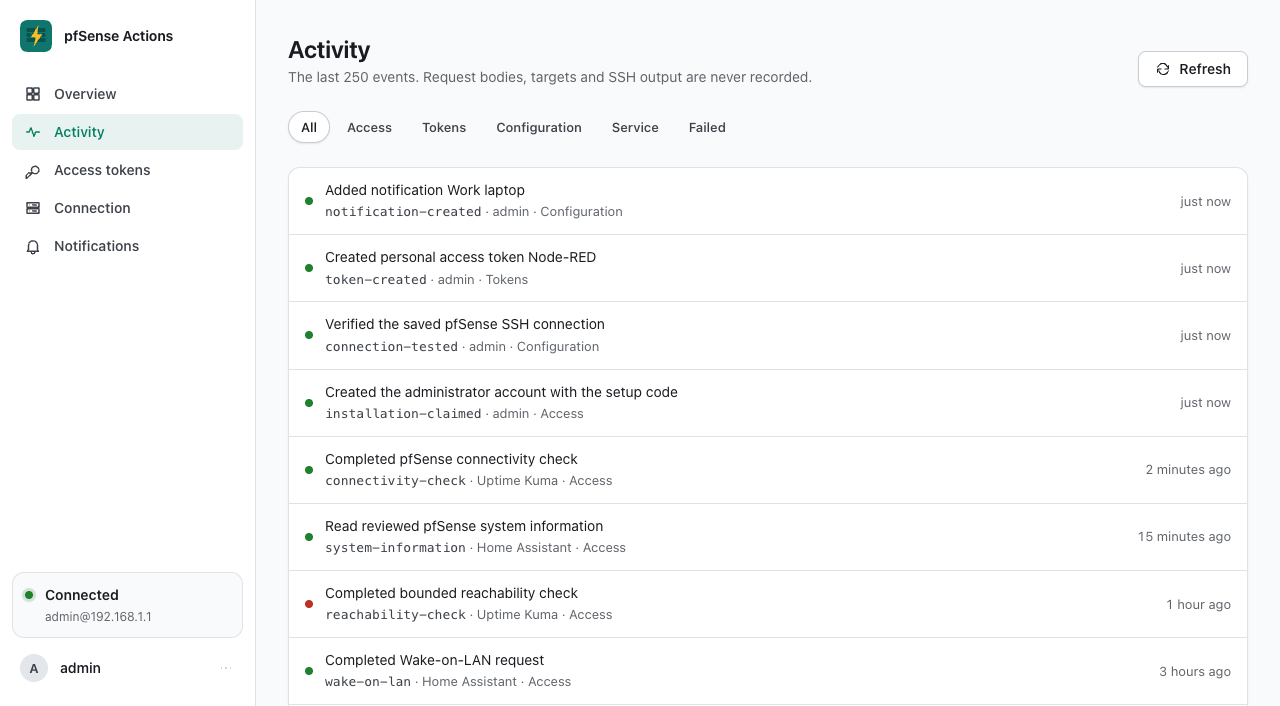
Filter Events
The chips above the list narrow it down.
| Chip | Shows |
|---|---|
| All | Every event. |
| Access | API requests, sign-ins, and sign-in security changes. |
| Tokens | Tokens being created, edited, and revoked. |
| Configuration | Connection tests and changes, and changes to notification destinations. |
| Service | Events from pfSense Actions itself, such as creating the database. |
| Failed | Every event that failed, from any category. |
Actors
- Token name — For API requests, the name the token had when it made the request.
- Administrator username — For sign-ins and changes made in the console.
anonymous— For failed sign-in and setup attempts.system— For events from pfSense Actions itself.
What Gets Recorded
| Event | Category | When it's recorded |
|---|---|---|
connectivity-check | Access | A connectivity request ran. |
system-information | Access | A system information request ran. |
reachability-check | Access | A ping request ran, including one rejected for an invalid body. |
wake-on-lan | Access | A Wake-on-LAN request ran, including one rejected for an invalid body. |
installation-claimed | Access | Someone created the administrator account with the setup code. |
installation-claim | Access | Someone entered a wrong or expired setup code. |
sign-in | Access | Someone signed in, or a sign-in attempt failed. |
sign-out | Access | The administrator signed out. |
password-changed | Access | The administrator's password changed. |
username-changed | Access | The administrator's username changed. |
totp-enabled | Access | An authenticator app was turned on. |
totp-disabled | Access | The authenticator app was turned off. |
recovery-codes-replaced | Access | New recovery codes replaced the old ones. |
passkey-created | Access | A passkey was added. |
passkey-removed | Access | A passkey was removed. |
token-created | Tokens | A token was created. |
token-updated | Tokens | A token's name, scopes, or expiration changed. |
token-revoked | Tokens | A token was revoked. |
connection-tested | Configuration | Someone tested the saved connection. |
connection-update | Configuration | Proposed connection settings failed their test and weren't saved. |
connection-updated | Configuration | New connection settings passed their test and were saved, or the deprecated PFSENSE_* variables filled them in at startup. |
notification-created | Configuration | A notification destination was added. |
notification-updated | Configuration | A notification destination's name, events, or settings changed. |
notification-removed | Configuration | A notification destination was removed. |
state-initialized | Service | pfSense Actions created a new controller database. |
encryption-key-replaced | Service | A missing encryption key was replaced, and its secrets were removed. |
API requests rejected for a missing, malformed, unknown, or expired token, a missing scope, or a rate limit aren't recorded, and neither are requests answered 503 because no connection is saved.
Alerts, Send test, and the scheduled check aren't recorded either. Each destination's row on Notifications shows its last send instead.
What's Never Recorded
- Tokens, passwords, private keys, setup and recovery codes, and authenticator secrets.
- Notification settings and secret fields, since the events name only the destination.
- Request bodies, including any IP or MAC addresses in them.
- SSH output and error details.
Retention
- pfSense Actions keeps the newest 250 events and deletes older ones as new events arrive, and the Activity page shows all of them.
- The log lives in the controller database, so it survives restarts but not the removal of the data volume.
info
The activity log is a local, bounded history, not a tamper-resistant audit trail or a replacement for central logging.